DANI ALONSO OPTICALFIBER ADAPTERS Technical Inquiry

Requirements for Setting Up the Main Power Distribution Box in the Computer Room

Proper installation of the main power distribution box in a computer room ensures safety, compliance, and reliable power delivery to IT equipment.Location and Room Requirements

The main distribution box should be installed in a dedicated, access-controlled IT room separated from other building occupancies by fire-resistant construction. The room must have a dedicated HVAC system to manage heat from electrical equipment and maintain safe operating temperatures. Only operators and maintainers should access the room, and only equipment and wiring associated with IT operations should be installed there .

Distribution Box Selection

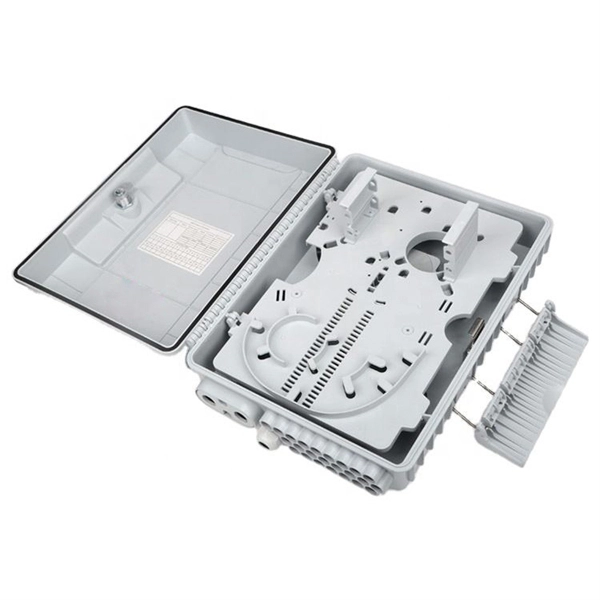
Choose a distribution box based on load capacity, environment, and durability. Indoor boxes can be plastic or steel, while outdoor or industrial setups require higher IP/NEMA ratings for protection against dust and moisture. Inside the box, include circuit breakers, busbars, terminal blocks, and DIN rails for neat wiring and modular expansion .

Electrical Installation
  • Grounding and Bonding: All noncurrent-carrying metal parts must be connected to the equipment grounding conductor (EGC) according to NEC Article 250. Double-insulated equipment may be exempt .
  • Wiring: Use proper wire gauge, insulation, and secure cable management. Each circuit should have its own protection device, such as breakers, fuses, or surge protectors .
  • Power Distribution Units (PDUs): Select PDUs that match the input/output requirements of connected IT equipment. Consider redundancy (dual-corded PDUs), metering, remote management, and surge protection. Plan for 20–30% spare capacity for future expansion .
Layout and Safety
  • Maintain adequate clearances around the distribution box for maintenance and emergency access. Avoid mixing primary electrical infrastructure with server racks to reduce arc flash hazards and ensure compliance .
  • Include maintenance bypass paths for UPS systems and main switchboards to allow servicing without interrupting IT loads .
  • Label all circuits and components clearly, and consider modular designs for easier upgrades .
Compliance and Testing
  • Follow NEC Article 645, NFPA 75, and local electrical codes for IT rooms and power distribution systems .
  • Use UL/CE-certified components and record installation details for inspections.
  • Perform visual inspections and multimeter tests before powering on, and schedule regular maintenance to ensure long-term reliability . By adhering to these requirements, the main power distribution box will provide safe, reliable, and maintainable power to all IT equipment in the computer room.
Requirements for Setting Up the Main Power Distribution Box in the Computer Room

Setting Up a Reliable Server Room: Cooling, Power Supply, and

In this guide, we''ll walk you through the three most important components of a reliable server room: cooling, power supply, and cable

Technical note

This reference is intended for preliminary fiber optic adapter research. Compatibility, link budgets, connector interfaces, sleeve materials, polish, installation methods, test limits and applicable standards must be verified for the specific project.

Still Have a Technical Question?

Use the inquiry form to describe an adapter requirement, connector interface or testing question.

Start an Inquiry